Choosing the best AI robot toys for kids starts with one question: what should the toy help a child do? Some encourage storytelling and conversation. Others teach simple coding, respond to gestures, or follow commands across a living-room floor. The right choice depends on the child’s age, interests, and patience—not just the number of features listed on the box.
Cynthia Breazeal, an MIT professor and social-robotics pioneer, has emphasized the value of natural, comfortable interaction between people and robots. A practical takeaway from her work is simple: a toy should invite children to explore, not overwhelm them with constant prompts. Look for clear age guidance, durable parts, adjustable volume, and parent controls. Check what the toy can do without an app or internet connection, too. A robot that needs a phone for every activity may frustrate a child after the first exciting afternoon.
Small details count. Can a five-year-old press the buttons without help? Does the robot explain a mistake kindly, or just flash a red light? Review the privacy settings and data features before setup, and read recent feedback from families. No toy is perfect. Some advertised “learning” features may feel repetitive in real play. That’s worth considering. The best AI robot toys fit a child’s everyday routine, leave room for imagination, and give adults a clear understanding of how the device works.
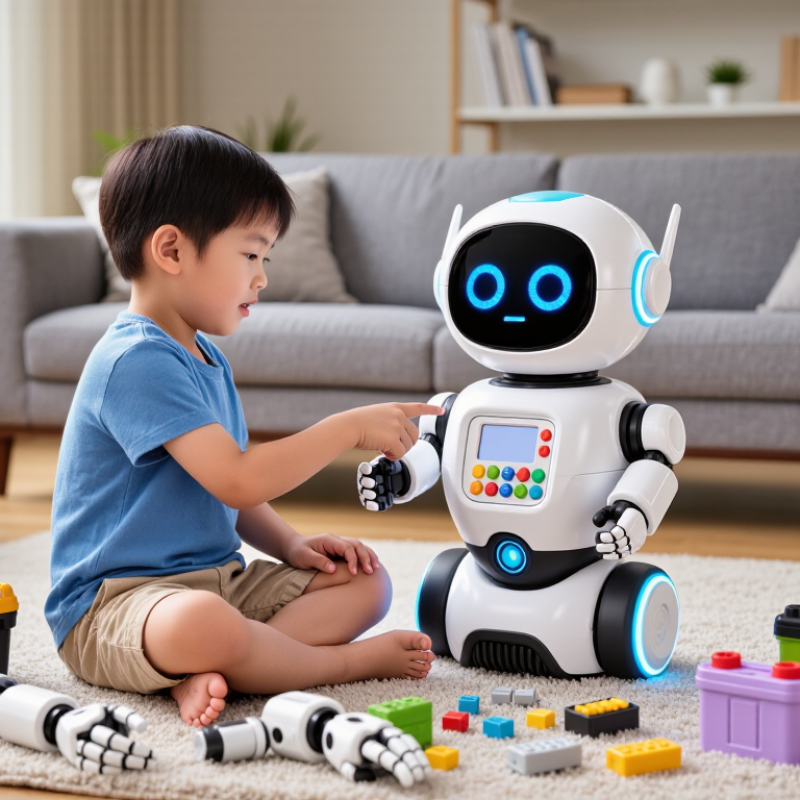
How to Choose the Best AI Robot Toys for Kids?
Identify the Child’s Interests, Age, and Learning Goals
Start with what the child already enjoys. A dinosaur fan may engage with a robot that tells animal stories, while a budding builder may prefer simple coding challenges. Match the toy’s tasks to the child’s age and patience. Younger children often benefit from large buttons, clear speech, and short activities. Older children may enjoy open-ended puzzles or adjustable challenges. Check the recommended age, supervision needs, and whether the toy’s instructions make sense without constant adult help. A flashy robot can still frustrate a child if its tasks feel too hard.
Set one learning goal before comparing features: practicing turn-taking, exploring cause and effect, or building basic problem-solving skills. Common Sense Media’s 2020 Census reported that children aged eight and under averaged 2 hours and 24 minutes of screen media daily. That figure describes screen use, not learning outcomes, and reflects a period when many routines had changed. Still, it’s a useful reminder to consider playtime and balance. For older students, OECD’s PISA 2022 report found that about 30% said digital devices distracted them in most or every math lesson. Keep activities focused. A robot’s claims are not proof of learning; observe whether the child can explain, repeat, or adapt what they practiced. Some days, they may just want to press the buttons. That matters, too.
Identify the child’s interests, age, and learning goals. Use the chart as an editable starting-point checklist—not as research or survey data.
How to use it: Start with what the child enjoys, check the toy’s age guidance and safety information, then consider the skills it encourages and how easy it is to use. Adjust the suggested weights to fit your family.
AI robot toys differ in what they ask children to do. A coding robot usually follows step-by-step commands, such as turning around a paper maze. A conversational robot responds to speech and may tell stories or answer simple questions. Mobile robots add movement, lights, or obstacle sensors. Some combine all three, but extra features do not always make play more engaging. Simple can be better.
Compare the interaction, not just the feature list. Does the toy recognize a child’s voice in a noisy room? Can it recover when a command is unclear? Try a short activity, like asking it to move forward, stop, and turn. Notice whether its replies feel flexible or repeat the same phrases. Repetition gets old fast. A child may enjoy a robot that makes mistakes less than one that needs constant adult help.
Age and play style matter. Younger children may prefer large buttons, clear speech, and immediate responses. Older children might enjoy programming sequences or changing how the robot moves. Check whether an app is required, what settings adults can control, and how easily the toy can be cleaned or charged. I would not choose by advertised intelligence alone; a slightly awkward robot can still invite creative play, though that is easy to overlook.
When choosing an AI robot toy, check its recommended age and inspect its body closely. Look for loose accessories, sharp seams, and a battery compartment that closes securely. Small parts matter. Follow the maker’s charging instructions, and stop using the toy if it becomes unusually hot or damaged. A friendly voice and bright lights can distract from basic safety checks.
Privacy deserves equal attention. Find out whether the toy has a microphone, camera, or both, and whether conversations are stored or sent to an online service. Read the privacy information with your child nearby; explain what the robot can hear or see. Look for an easy-to-find mute switch, clear recording-deletion steps, and parental controls that limit contacts, purchases, or shared content. Check whether settings stay locked after a restart. Packaging can sound reassuring, but the actual controls matter more. I would not assume every feature is necessary.
Tips: Before play, review permissions and disable anything your child does not need. Test the mute button together. Keep the robot out of bedrooms if its camera or microphone feels intrusive. Revisit settings after software updates; it is easy to forget.
| Evaluation area | What to check | What to look for | Potential warning signs |
|---|---|---|---|
| Age suitability | Does the toy’s stated age range match the child’s abilities and needs? | Clear age guidance, understandable setup instructions, and activities suited to the child’s reading and motor skills. | Age guidance is missing, unclear, or based only on advanced features rather than the child’s developmental needs. |
| Physical safety | Are the robot, accessories, and charging components appropriate for the child’s age? | Sturdy construction, securely attached parts, smooth edges, and clearly stated battery and charging instructions. Check applicable safety markings and local requirements. | Small detachable parts for a child under three, accessible batteries, damaged wiring, or vague charging and supervision guidance. |
| Microphone and camera | Does the toy listen or record audio or video, and can these features be disabled? | Clearly described sensor functions, an easy-to-use mute or disable option, and visible indicators when a sensor is active. | Always-on listening or recording is unclear, sensor controls are difficult to find, or the toy gives no indication when sensors are active. |
| Data collection | What information is collected, why is it collected, and who can access it? | A readable privacy notice that identifies collected data, purposes, sharing practices, and available choices for parents. | Privacy terms are difficult to locate, data uses are broadly described, or information may be shared without a clear explanation. |
| Data retention and deletion | Can parents review and delete stored recordings, transcripts, or account data? | Clear retention periods or criteria, accessible deletion instructions, and a way to request account or data deletion. | No explanation of how long data is kept, or no practical way to delete recordings or close an account. |
| Parental controls | Can an adult manage access, settings, and the child’s interactions? | Parent-managed settings for permissions, contacts or sharing, usage limits, and age-appropriate features where applicable. | Children can easily change important privacy or account settings without adult approval. |
| Online access and connectivity | Does the robot require an internet connection, an app, or an account to work? | Requirements are disclosed before purchase, and offline functions are explained if available. | Core features depend on a connection or account, but this requirement is not clearly stated. |
| Content and conversations | Are responses and activities suitable for the child, and can adults review or limit them? | Age-appropriate content guidance, clear limits on conversational features, and a simple way to stop or supervise interactions. | Unrestricted open-ended conversation, unclear content boundaries, or no practical way for an adult to intervene. |
| Security and updates | How are the app, account, and connected toy kept current and protected? | Instructions for installing updates, using strong account credentials, and contacting support about security concerns. | No update or support information, or default account credentials that are not explained or changeable. |
| Overall choice | Can the toy provide the desired play experience with limited and understandable data use? | Choose a toy whose safety instructions, sensor controls, privacy practices, and parental settings you can verify before use. | Key details are unavailable, difficult to understand, or inconsistent across the packaging, app, and privacy information. |
Choose an AI robot toy by watching a child try its basic controls, not by counting its features. Can they start a simple game, adjust the volume, and understand what the robot is asking? Clear buttons and calm voice prompts matter, especially when a child is learning independently. A confusing setup can turn an exciting gift into a shelf decoration. Check whether the toy needs a phone, Wi-Fi, or an adult account to work.
Tips: Open the box before playtime. Check charging instructions, small detachable parts, and whether the first setup feels manageable. Keep the packaging for a few days in case something is missing.
Durability is about more than a tough-looking shell. Look for securely attached parts, rounded edges, and charging connections that do not feel loose. Consider where the toy will be used: a robot rolling across a rug may struggle near table legs or scattered blocks. No toy is indestructible, and careful handling still matters. I would also check the repair or replacement policy before buying; that detail is easy to overlook.
Ongoing costs can include batteries, subscriptions, replacement parts, or paid content. Read the product details to see which features work without extra purchases. A robot with fewer functions may be better value if its core games stay available. Some costs are hard to predict, so compare what is included now with what your child is likely to use regularly.
How to Choose the Best AI Robot Toys for Kids?
Match the Robot’s Capabilities to Your Family’s Needs
Start with the job you want the robot to do. A child curious about coding may enjoy step-by-step challenges. A younger child might prefer simple voice prompts and moving parts. If your evenings are already busy, a toy that needs frequent setup may stay in its box. That matters.
Common Sense Media’s 2021 report, The Common Sense Census, found that U.S. children ages 8–12 averaged 5 hours and 33 minutes of daily entertainment screen media; teens averaged 8 hours and 39 minutes. These figures cover many kinds of media, not robot play. Still, they’re a useful reminder to check whether a robot encourages hands-on building or adds more screen time. Look for clear age guidance, adjustable difficulty, and activities children can complete without an adult hovering.
Check practical details before buying: Can the robot work without an internet connection? What information does it collect? Are its instructions easy to follow? UNICEF’s 2021 Policy Guidance on AI for Children emphasizes children’s safety, privacy, and well-being—good questions for families to ask about connected toys, too. A long list of features can look impressive. It may also be more than your child needs. Choose the capability your family will actually use, and leave room to change your mind.
Check the age recommendation, loose accessories, sharp seams, and battery cover. Small parts matter. Stop using it if it gets unusually hot or damaged.
Find out if it has a microphone or camera, and whether recordings are stored or sent online. Read the privacy details with your child.
Look for an easy mute switch, clear recording-deletion steps, and controls for contacts or purchases. Test the mute button together.
No. Disable features your child does not need. Keep the robot out of bedrooms if its camera or microphone feels intrusive.
Ask them to start a game, change the volume, and follow a voice prompt. Clear buttons help. Confusing setup can leave it unused.
Check before buying. Some toys need a phone, Wi-Fi, or an adult account for basic use. Try setup before playtime.
Check attached parts, rounded edges, and firm charging connections. Think about rugs, table legs, and scattered blocks. No toy is indestructible.
Check for batteries, subscriptions, replacement parts, and paid content. See which games work without extra purchases. Some future costs are hard to predict.
Choosing the best AI robot toys for kids begins with understanding the child. Consider their interests, age, patience, and learning goals, such as exploring basic coding, practicing problem-solving, or enjoying creative play. Then compare different types of robots and their interactive features, including voice responses, movement, games, and opportunities for hands-on learning. The most engaging option is not necessarily the one with the most features; it is the one your child will enjoy using and can comfortably understand.
Before buying, review safety information, privacy settings, and parental controls, and check whether the robot is durable and easy to set up. Consider ongoing costs too, such as replacement parts or optional subscriptions. Finally, match the robot’s capabilities to your family’s routines, budget, and expectations for screen-free or guided play. A thoughtful choice can make an AI robot toy a useful, enjoyable companion for learning and exploration.